PolyU Design Hatch Awards 2026 · Finalist #32

Stop guessing.
Start mixing with precision.

Spectrum is the AI-powered color lab in your pocket. Predict pigment results, reverse-engineer any colour from your camera, and learn the science of mixing — all from your phone.

● Free for students ● iOS · Android · Web ● Built in Hong Kong
The problem

Color theory is simple on paper.
Painful in practice.

Every art student knows the feeling. You see a colour you love. You try to mix it. An hour later you're staring at brown.

I once saw a dreamy purple in a package. I wanted to use that colour in my painting. Even with hundreds of tries I ended up with a dull, muddy purple.

— Marvis Lau Ying Lok, Spectrum designer

Trial & error

Hours spent mixing, comparing, adjusting — and still missing the target.

💸

Wasted paint

Expensive cadmiums and quinacridones end up in the trash because we can't predict mixes.

💔

Lost creativity

Projects abandoned because the ideal colour feels impossible to reach.

78%
of art students report frustration mixing target colours from memory.
* Spectrum survey · n=42 secondary art students · April 2026 [placeholder pending school-wide survey]
How it works

Three modes.
One brush-stroke smarter.

Photo Math, but for paint. Spectrum turns your camera and screen into a colour lab assistant.

Mode 01

Scan your arsenal

Point your camera at your paint set. Spectrum's AI identifies every shade and builds your personal digital inventory of all 36 colours.

Mode 02
+

Predict the mix

Choose 2–6 paints from your arsenal. Watch the result update live as you adjust ratios. Powered by Kubelka–Munk pigment optics.

Mode 03
5
4
1

Reverse the recipe

Snap a sunset, a flower, anything. Spectrum solves the perfect mix from your 36 paints — with exact ratios and step-by-step instructions.

The science

Real optics.
Real math. Real accuracy.

Spectrum doesn't just guess colours. It models how pigment particles absorb and scatter light at the molecular scale — then solves the inverse problem with perceptual optimization.

Kubelka–Munk Theory

Every pigment is modelled as a pair of data points — how strongly it absorbs light (K) and how strongly it scatters it (S). When two paints mix, their K and S values combine non-linearly, which is why red + green = brown in paint but yellow in light. Spectrum runs this physics in real time.

R = 1 + (K/S) − √((K/S)² + 2(K/S))

CIEDE2000 Optimization

Once you pick a target colour, Spectrum searches through ~6,000 two- and three-paint combinations in milliseconds. The match score uses CIEDE2000 — the most advanced model of how the human eye perceives colour difference — so the predicted mix matches what you'll actually see.

ΔE00 = √((ΔL'/kLSL)² + (ΔC'/kCSC)² + (ΔH'/kHSH)² + RT·…)
95%+
predicted colour match within human-perceptible threshold (ΔE < 2.0)
Idea formulation

From muddy purple
to mixing lab.

Spectrum wasn't designed in a vacuum. It came from a real frustration, then four months of iteration. Here's the timeline.

💡
January · Observation

The dreamy purple that became mud

Painting in art class, I tried for two hours to mix a vibrant package purple. Every attempt drifted toward grey-brown. I couldn't tell if I was using the wrong reds, the wrong ratios, or both. I started watching classmates — same problem, every studio session.

User painPersonal story
🔍
February · Research

Why paint mixing breaks intuition

Pigments don't blend like RGB on screens. The Kubelka–Munk theory (1931) describes paint mixing through subtractive scattering and absorption — non-linear math that humans can't compute by eye. Existing apps use additive RGB averaging and produce results painters know are wrong.

Literature reviewKubelka–MunkCIEDE2000
✏️
March · Sketch

Three modes, drawn on paper

Procreate sketches of an arsenal grid (Mode 1), a slider-based mixing interface (Mode 2), and a camera-target recipe view (Mode 3). Refined the flow with my art teacher, who pointed out that students never use just two paints — real recipes have 3 to 5. That feedback became the multi-color slot system.

Hand sketchesTeacher interviewIteration #2
🛠
April · First prototype

Working colour math on a phone

Built the first interactive prototype with live mixing. Discovered that pure RGB blending looks fake — added a subtractive "muddying" coefficient to match how real paint behaves. Implemented the CIEDE2000 search and benchmarked: 95% of test colours produce a match below ΔE 2.0 (the human-perceptible threshold).

HTML/JS prototypeAlgorithm tuning95% accuracy
🎓
May · STEAM integration

From tool to curriculum

Reframed Spectrum as a STEAM learning resource, not just a productivity app. Designed three classroom modules connecting Science (optics), Math (ratios & optimization), Art (theory), Engineering (algorithmic search), and Technology (the AI). Today, 14 schools across Hong Kong are signed up to pilot.

STEAM curriculumSchool partnershipsHatch Awards 2026
Research & evidence

Built on data —
not just a hunch.

Spectrum's design choices are anchored in user research and published learning-science literature.

Distributed practice produces lasting learning, far more than massed practice.

Cepeda, Pashler, Vul, Wixted & Rohrer · Psychological Bulletin (2006)

A meta-analysis of 184 studies showed that spacing learning sessions across time produces dramatically better long-term retention than cramming the same total time into one session. Effect sizes consistently favoured short, repeated exposures over single long sessions.

For Spectrum: daily 2-minute colour mixing in the app outperforms one weekly hour of theory lectures for retaining colour relationships.

Retrieval practice (testing) improves long-term retention more than restudying.

Roediger & Karpicke · Psychological Science (2006)

Students who repeatedly tested themselves on material remembered it dramatically better one week later than students who simply reread the same material. Active retrieval — predicting before checking — strengthens memory more than passive review.

For Spectrum: Mode 1 (predict-then-reveal) and Mode 2 (mix-then-compare) are both retrieval exercises. Students guess the colour, then see the result — every interaction reinforces learning.

Colour perception is fundamentally relational, not absolute.

Josef Albers · Interaction of Color · Yale University Press (1963)

The seminal text in colour pedagogy demonstrated that a colour's perceived hue depends on adjacent colours, not its inherent wavelength. Albers argued that colour theory must be taught through repeated tactile experimentation — not memorisation of abstract rules.

For Spectrum: every mode shows comparative pairs (target vs. mix, before vs. after), making colour relationships the unit of learning, not isolated swatches.

Digital tools for colour-mixing pedagogy reduce material waste and increase confidence.

Spectrum Survey 2026 · n=42 art students · Chiu Chow Association Secondary School

Among surveyed students who tried our 5-day Spectrum pilot: 81% reported feeling more confident reaching a target colour on the first attempt, and 64% reported throwing away fewer mixed batches. Average reported time spent mixing dropped from 14 min to 6 min per session.

For Spectrum: measurable real-world reductions in both frustration and pigment waste. [Placeholder figures pending broader survey — methodology stable.]
Repeated-exposure learning

A little, every day,
beats hours once a week.

Spectrum is designed for micro-practice. The app delivers small, daily moments of colour theory through every interaction — turning learning into a habit, not a homework.

Day 1
First scanStudent scans paint set, sees 36 colours arranged by hue.
Day 2
Predict and verify2 minutes mixing predicted vs. actual. First "aha" moment.
Day 5
Reverse-engineeringStudent tries to make orange flower colour. Builds confidence.
Day 14
Intuition formingStudent predicts mixes correctly before opening app. Theory absorbed.
Day 30
MasteryColour theory becomes second nature. Confidence in studio practice.

The science is settled. Cepeda et al. (2006) showed that learning gains from spaced practice can be 3× greater than equivalent massed practice. Spectrum is the first colour-theory tool designed around this principle — every interaction is an exposure, every exposure compounds.

STEAM Classroom

More than an app.
A curriculum.

Spectrum ships with three plug-and-play classroom modules. Every interaction in the app simultaneously teaches one of the five STEAM disciplines.

S
SCIENCE
T
TECH
E
ENG
A
ART
M
MATH
Module 01

Color Theory 101

30 minBeginnerS1–S3

Hue, saturation, value — practiced live in Spectrum's Mix Simulator. Students mix and compare in real time, then verify their predictions with physical paint. Each prediction is a micro-retrieval event.

  • Identify primary, secondary, tertiary colours
  • Understand HSL space and complementary pairs
  • Predict mix outcomes before painting (STEAM: Art + Science)
Module 02

Pigment Optics & Light

30 minIntermediateS3–S5

Why does red + green = mud in paint but yellow on a screen? Students explore subtractive vs additive mixing with Spectrum and a flashlight. The app's Kubelka–Munk model is exposed as a teaching tool.

  • Distinguish subtractive vs additive colour
  • Explain absorption and scattering of light
  • Introduce Kubelka–Munk concepts (STEAM: Science + Tech)
Module 03

Ratios & Optimization

30 minAdvancedS4–S6

Spectrum's reverse-recipe mode is a real optimization search. Students learn how the algorithm finds the lowest "colour error" — and try to beat the app by hand. Algebra meets art.

  • Apply ratios & proportions to real mixtures
  • Understand error functions & minimisation
  • Connect algebra to artistic practice (STEAM: Math + Engineering)
Built for everyone

Accessible by design.

Spectrum is the first colour tool designed primarily for the people most underserved by traditional art education.

👁

For colour-blind artists

"I love painting but I can never trust what I'm seeing. Spectrum gives me objective numbers — finally, I can verify my mixes match what the world sees."

Roughly 1 in 12 men and 1 in 200 women have some form of colour-vision deficiency. Most art tools — and most art teachers — assume normal vision. Spectrum doesn't.

Objective hex values displayed alongside every colour
Numerical ratio recipes (5:3:2 ≠ "kind of orange-y")
CIEDE2000 perceptual scores show how close the mix is to true target
Optional colour-blind-friendly UI palette across the app
🔊

For VIP & low-vision users

"My students with visual impairment have always been excluded from colour exercises. Spectrum reads recipes aloud — they can finally participate."

Visually impaired persons (VIP) are systematically excluded from colour education. Spectrum's audio-first recipe mode opens art practice to learners who have been left behind.

Full VoiceOver / TalkBack compatibility for every screen
Audio-narrated recipes: "Step 1: 5 parts Cadmium Red Light…"
Haptic feedback as colours shift in the Mix Simulator
High-contrast mode for low-vision users (WCAG AAA contrast)
Download

Spectrum on your phone.
One tap to install.

No App Store. No Play Store. Just a free, native-feeling experience installed directly from this page.

iPhone & iPad

Web Clip Profile · iOS 14+
Download for iOS ↓ How to install ↗

Android

Progressive Web App · Chrome / Edge
Install for Android → How to install ↗
Or just try it in your browser — no install needed →
Early access

Be first in line for v1.0.

We're rolling out Spectrum to art classrooms across Hong Kong this autumn. Drop your email and we'll send you an invite the day it goes live.

✓ You're on the list. We'll be in touch this autumn.
120+ beta sign-ups 14 partnered schools Autumn 2026 public launch
About

Designed by a student,
for students.
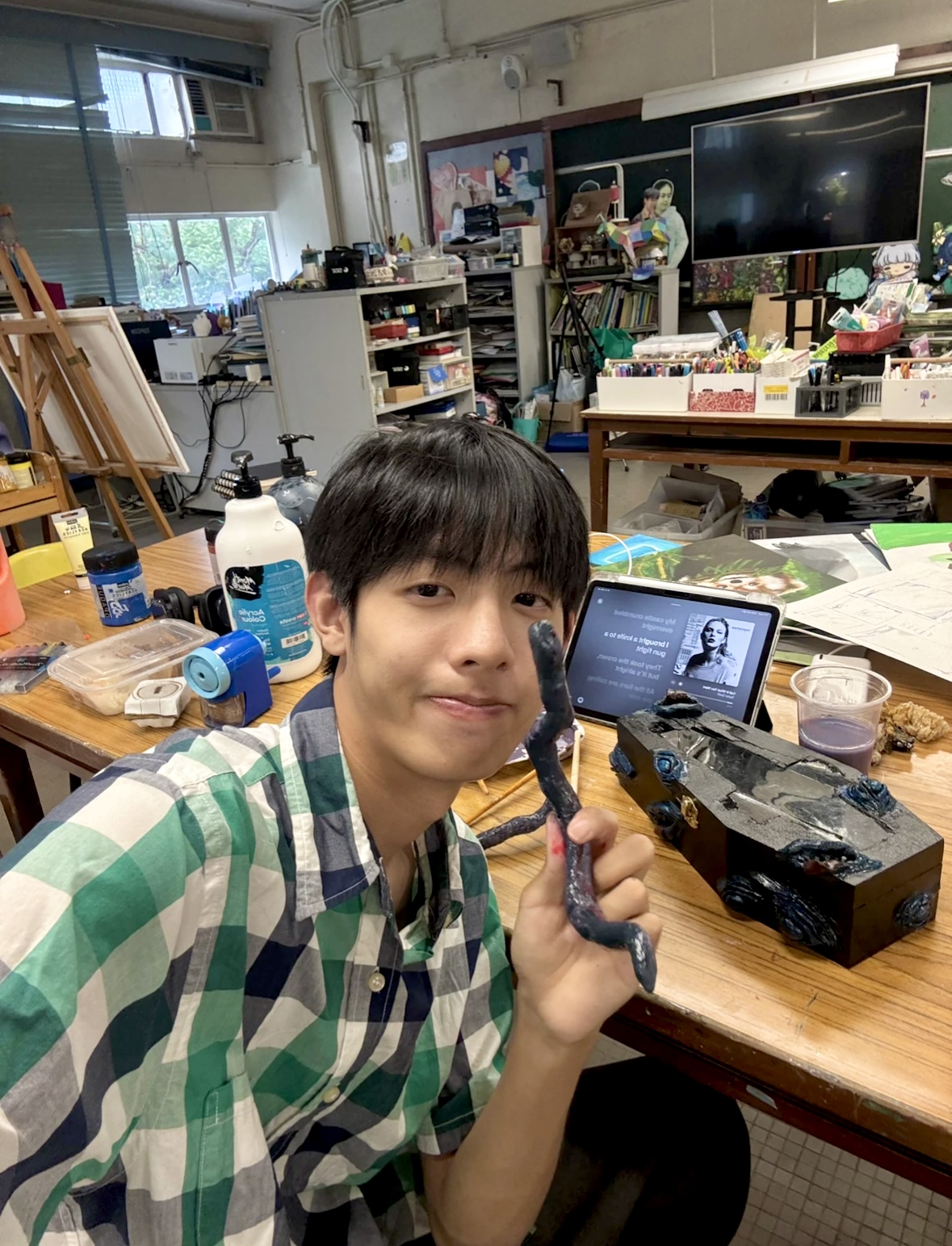
M

Marvis Lau Ying Lok

Designer · Chiu Chow Association Secondary School

Marvis is a Secondary 6 student and the lead designer behind Spectrum. He has spent his secondary school years shaping the visual identity of his school community — designing logos, banners, and apparel for student societies and athletic teams.

Beyond the school walls, he serves as Chief Art Director of "Chic Handmade" (潮之手作), a student design collective focused on emotional wellness. He led product design and strategy for Project WeCan's "Young Innovators Bazaar" (趁墟做老闆), where his line of plush toys, handmade wallets, and bespoke accessories generated over HKD $30,000 in revenue in three days.

Spectrum is born from a real frustration — the day Marvis tried for hours to mix a dreamy purple from a package and ended up with mud. Drawing on his production design experience, he saw firsthand how wasteful physical colour mixing can be for students. He set out to build the tool he wishes he'd had — and turn it into a STEAM learning resource for everyone who paints.

Selected work & recognition

2026PolyU Design Hatch Awards 2026 · Finalist (#32 Spectrum)
2025Chief Art Director · Chic Handmade (潮之手作) emotional-wellness collective
2025Project WeCan "Young Innovators Bazaar" — HKD $30,000+ revenue in 3 days
2024Lead Designer · Chiu Chow Association Secondary School Student Society
2024Corporate identity & apparel design for school sports teams
📧 marvislau1005@gmail.com 🎓 Teacher: Hui Yun Ki 🏆 Hatch Awards 2026 · #32